

Mousetrapper Lite
Ask Bio about this product
AI assistant · instant answers
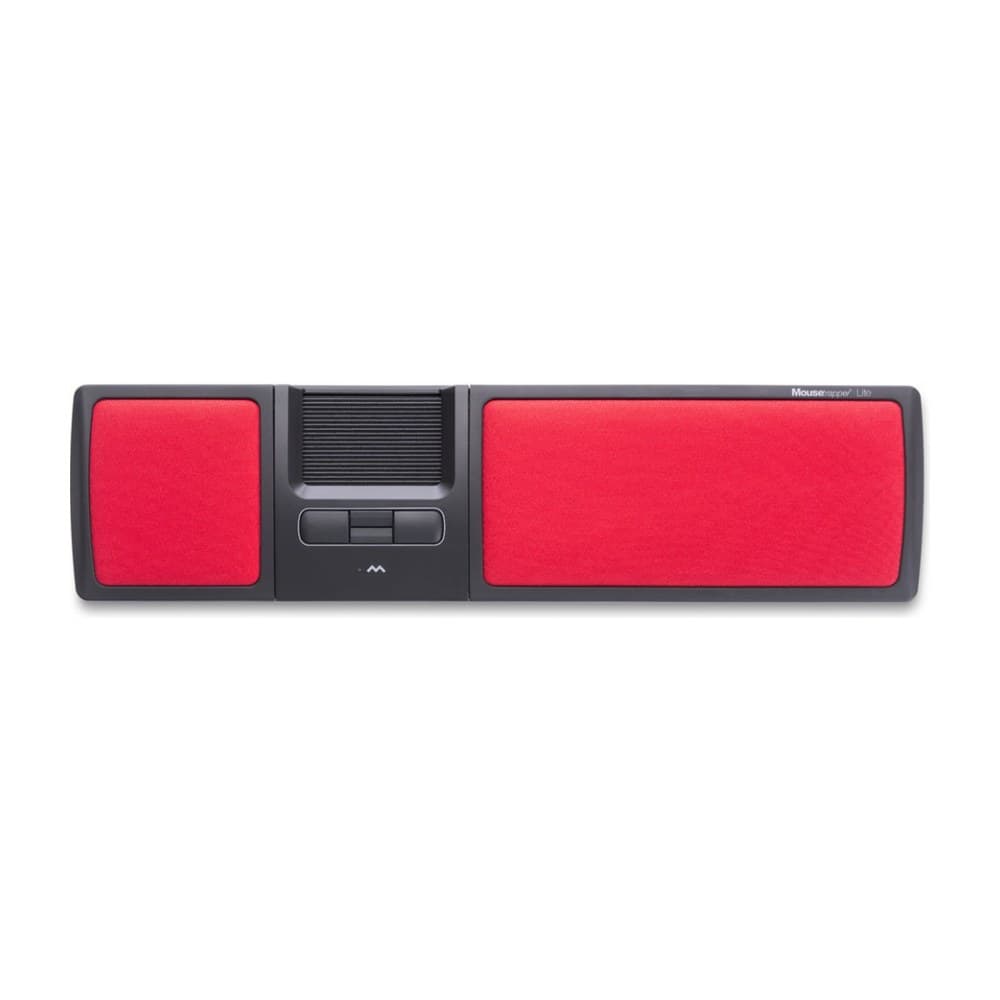
The most easy-to-use Mousetrapper Lite is the base product in the Mousetrapper range, and is designed to suit a full-size keyboard. It is intended for users who only need the right-click, scroll, and click functions on the Mousetrapper’s unique control pad. Lite also has soft, padded wrist supports.
Get a reminder for regular delivery and save with code SUBSCRIBE10 at checkout. Pause or cancel anytime.
Supplied and dispatched by The Keyboard Company View store →
Description
The most easy-to-use Mousetrapper
Lite is the base product in the Mousetrapper range, and is designed to suit a full-size keyboard. It is intended for users who only need the right-click, scroll, and click functions on the Mousetrapper’s unique control pad. Lite also has soft, padded wrist supports.
Plug n play
Just connect the USB cable and then you are up and running.
4 buttons
Left-click, right-click, up/down scroll functions.
Mousetrapper Control Pad
The Mousetrapper Control Pad is not a touch pad, it’s a mechanical control pad with a very unique tactile feeling. By placing your index, middle and ring fingers on the control pad you can control the cursor with simple movements as the control pad moves smoothly in two dimensions. It is easy to use and gives the user maximum flexibility with the option of clicking directly on the Control Pad.
Why use a centrally positioned mouse?
A centered position for your hands is essential to prevent RSI. Overstretching the arm to reach for the mouse beyond the keyboard is a common trap. By using an ergonomic mouse like Mousetrapper you get an ergonomically healthy position that keeps your arms and hands relaxed. It has been found that a centered mouse, often after only a couple of weeks, provides a noticeable improvement.
Key Functions
- Four buttons with scroll and auto-scroll functions
- Control pad with click function
- USB plug n play
Compatible with all PC and Mac computers with a USB port.
Included: The Mousetrapper Lite comes with a USB cable for easy connection and an instruction guide to help you get your Mousetrapper quickly up and running.
Questions & answers
Ask Bio — questions answered by our team are published here.
No published questions yet. Ask Bio — once our team answers, it appears here.
Similar Options
Other choices in this category
Complete Your Basket
Goes well with this product
Customers also bought
Based on real order data