

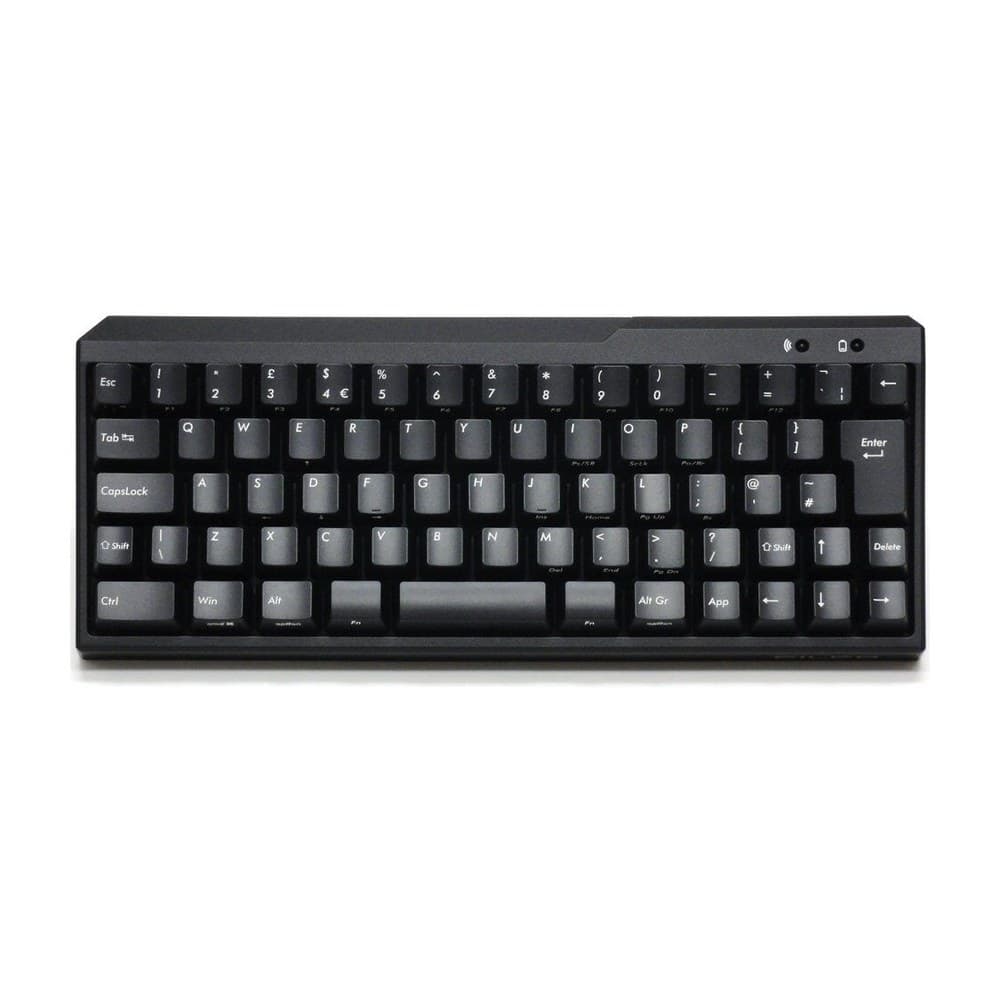
Filco Majestouch MINILA Air Bluetooth Mechanical Keyboards
Product Specifications
| Product Code | KBC-FFBT68MC/UKB |
|---|---|
| Size | CHERRY MX Blue / United Kingdom |
Layout: United Kingdom
Ask Bio about this product
AI assistant · instant answers
Majestouch MINILA Air is the MINI LAyout version of Majestouch and we’ve made it as compact as possible by sharing Function keys with other keys, it’s most striking feature is the “double function keys” located on each side of the spacebar. It has the same key pitch and Cherry MX key switching as ou
Get a reminder for regular delivery and save with code SUBSCRIBE10 at checkout. Pause or cancel anytime.
Supplied and dispatched by The Keyboard Company View store →
Description
Majestouch MINILA Air is the MINI LAyout version of Majestouch and we’ve made it as compact as possible by sharing Function keys with other keys, it’s most striking feature is the “double function keys” located on each side of the spacebar.
It has the same key pitch and Cherry MX key switching as our famous Majestouch keyboards.
We focused on the least frequently used digits, the thumbs, and let them work with the Function keys.
Just keep your thumbs busy and you’ll get a lot of work done much easier than on a normal keyboard!
You can use whichever thumb you want.
This keyboard can work well for anybody!
Professionals, intermediate or even beginner class!
Once you get used to typing on MINILA Air, you will not want to go back typing on a normal keyboard!
[Design rights pending]
You can use MINILA Air even more conveniently with FN keys
You can type cursor keys with a combination of FN key.
Pressing FN key and E/S/D/F simultaneously corresponds to up/left/down/right respectively.
With this solution, you can keep your home position and still type arrows very easily.
Pressing FN key plus the [:;] key simultaneously functions as backspace.
This will allow you to command backspace without changing your home position.
These combinations will offer you a faster typing environment.
More configurable
- 5 dip switch settings:-
- Switch off Windows and App keys
- Swap left CTRL and CapsLock (key caps included)
- Change left FN key into space
- Change right FN key into space
- Swap ESC / [`ᆭᆲ] function (key cap included)
- Filco key puller
- Adjustable rear legs with non-slip feet
- Tactile feel, ergonomic click action (Brown switch)
- Gold contacts
- 4.0mm travel
- 2.0mm actuation point
- 55g ~ 2oz actuating force keyswitch
- Switches tested to 50 million actuations
- Batteries included (2 x AA)
- Bluetooth receiver NOT included
Questions & answers
Ask Bio — questions answered by our team are published here.
No published questions yet. Ask Bio — once our team answers, it appears here.
Similar Options
Other choices in this category
Complete Your Basket
Goes well with this product
Customers also bought
Based on real order data